
Did you recently move or relocate your business and are having difficulty with how to change business address on Apple Maps? To change business address on your Apple Maps, you’ll need to provide your new address, then use the latitude and longitude coordinates to pinpoint the new location on the map and wait for Apple to review your changes.
Apple Business helps business owners keep their business information up to date and manage how it appears on Apple Maps. To change a business address on Apple Maps or update your business information, you must be a user with permission to manage locations, provide your new business address, including the street name, city, and postal code, submit the correct map location for your business, and verify your address. You may also need to submit supporting documents.
Apple Business has tools that businesses can use to customize how customers find and interact with them on Apple Maps. We will show you a step-by-step guide on how to change business address on Apple Maps without any hassle.
Best iOS 27 Features With Apple Intelligence
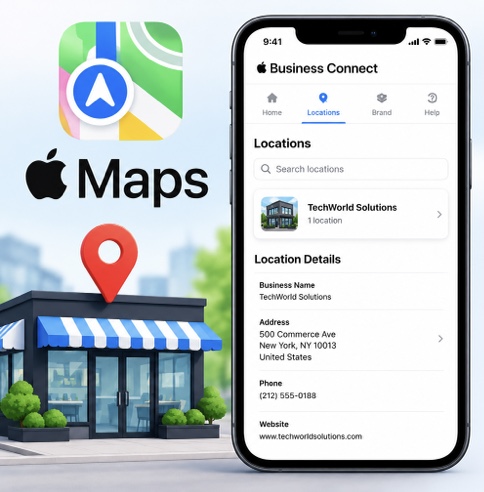
How to Change Business Address on Apple Maps
Follow these steps on how to change business address on Apple Maps:
Step 1: Open your device’s browser.
Step 2: Go to Apple Business and sign into your account. Ensure you log in with an admin account or an account that has permission to manage locations.
Step 3: Select Brands > Locations. Search for the business you want to change. Search using the name, brand, or address.
Step 4: Choose the location you want to change. Ensure you select the appropriate location.
Step 5: Review the new location and drag the map to the new location. Use the zoom-out (+) and zoom-in (-) buttons, or switch to hybrid or satellite view to ensure that the new location is in the correct spot.
Step 6: Then, select Save.
Step 7: If the location already exists on Apple Maps, you may need to verify your business:
- Click Get Started to add location details.
- Click Location Verification, select Next, add an optional extension, and select the Phone Verification option.
- You will receive a verification code via phone call. Enter the four-digit verification code.
- Select Done.
Step 8: If the location is already managed by another business, you will need to request the transfer of that location:
- Search for the location.
- Go to Status, then select Request Transfer.
- Enter the reason why location management should be transferred to you. Submit supporting documents, such as a utility bill, business license, or lease agreement, to show that your business is authorized to operate at that location.
How to Change Hours on Apple Maps for Business
Follow the steps below to change business hours on Apple Maps:
Step 1: Go to Apple Business in your device’s browser.
Step 2: Sign in with your Apple Business administrator account.
Step 3: Select Brands > Locations.
Step 4: Search using the name, brand, or address of your business.
Step 5: Adjust your operating hours. You can also provide special hours for holidays, special events, and special services.
Step 6: Review the information.
Step 7: Select Save.
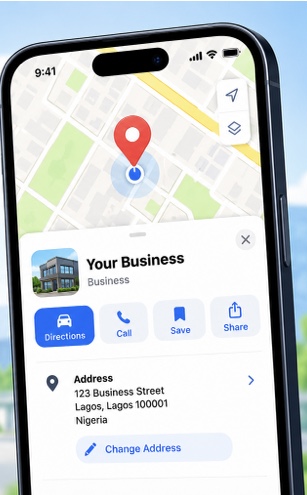
How to Change My Business Address on Apple Maps
Follow these steps on how to change business address on Apple Maps:
Open your browser and sign in to Apple Business. Select Brands > Locations, search for the location you want to change, drag the map to the new location, and select Save.
Conclusion
In conclusion on how to change Apple business on Apple Maps, business owners can keep their business information up to date and manage how customers view their businesses by editing their business address or location, adding new items, sales, deals, or special events, uploading new photos, changing or adjusting operating hours, editing action buttons, and updating information customers should know about their business locations.
Apple may require verification through a phone call and the submission of supporting documents to prove business ownership. Changes may not appear immediately and can take about five working days for Apple to review changes to a business address on Apple Maps.