
Publishing your first book doesn’t have to feel overwhelming, with Amazon Kindle Direct Publishing (KDP) you can easily publish your book online for free at no cost making you a self-published author and start earning online by reaching millions of readers around the world on Amazon.
Amazon KDP gives u a global reach of audience and total control over your book while you earn royalty on sales.
We’ve compiled this step-by-step beginners guide on how to publish your first book on Amazon KDP. Note that Amazon KDP is not a get rich quick scheme like many people paint it for beginners. To become successful as an Amazon self publisher/author you need patience, time and the right skill to get started and keep improving.
What Is Amazon KDP?
Amazon KDP (Kindle Direct Publishing) is a digital platform that allows you to publish eBooks for free and sell them on the Amazon store.
You don’t need a publisher, agent, and you get to start for free by simply signing up on Amazon KDP.
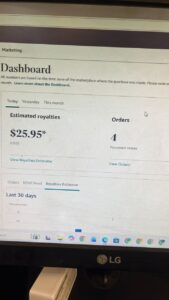
Step-by-Step Guide to Publishing Your First Book on Amazon KDP
Step 1: Choose a Profitable Book Idea
To earn enough money on Amazon KDP, make sure you select a topic/niche in high demand that people are searching for.
The easiest way is to check the the best sellers section on Amazon to give you an idea of what people are searching for.
If you are an expert in a field or profession you can write how-to guides, non-fiction manuals, self-help books, educational materials, and technical guides. Specialized non-fiction is highly popular and profitable on the kindle
Step2: Do Keyword Research
Keywords help your book show up in Amazon search results.
Use Amazon’s Search Bar (Autocomplete)
Go to Amazon and start type a keyword related to your idea. For Example: type “fitness…”You’ll see suggestions like:
-
- fitness tracker
- fitness bands for women
- fitness mat non slip
Select keywords with:
* High search demand
* Low competition
Step 3: Create Your Book Content
You can leverage on the use of ai tools like ChatGPT, Claude, Gemini etc to write your book content.
Ensure you enter the best prompt to get the best result. Using ai to write your content can really boost your earning without even being an expert in a field.
Step 4: Design a Professional Cover
Use Canva, Photoshop or use the Amazon KDP cover calculator and template generator to design your book cover and attract readers to read your book.
Tips:
* Use bold, readable fonts
* Keep design simple
* Make sure it looks good as a small thumbnail
Step 5: Create Your Amazon KDP Account
Sign up with your Amazon account on the Amazon KDP .
You’ll need to enter the following details:
* Your name or business name
* Payment details
* Tax information
This is how Amazon will pay you.
Step 6: Upload Your Book
Inside your KDP dashboard:
1. Click **“Create a New Title”**
2. Choose:
* Kindle eBook OR
* Paperback
Enter the following details :
* Book title (include keywords)
* Subtitle (important for SEO)
* Description (write like a sales page)
* Author name
* Keywords (7 keyword slots)
* Categories
Step 7: Upload Manuscript and Cover
* Upload your formatted interior file (PDF or DOCX)
* Upload your cover file
Use the KDP preview tool to check for errors before publishing.
Step 8: Set Your Price and Royalty
Select. the option:
* 35% royalty
* 70% royalty (for eBooks within pricing range).
Make sure you begin with a competitive price to attract buyers.
Step 9: Publish Your Book
Click « Publish”, your book should go live within 24–72 hours.
Congratulations—you are now a published author!.
FAQ
Is Amazon KDP Worth it ?
Yes, Amazon KDP is definitely worth giving a trial if you are looking to make passive income as you earn while publishing on Amazon KDP completely for free.
To make Amazon KDP worth it ensure you are putting out quality contents for your readers. To make money:
* Share your book on social media.
* Ask friends/family for reviews.
* Use keywords properly.
* Publish more books to keep building your portfolio.
Can you Self Publish Books on Amazon Without KDP?
No, you can’t self-publish books on Amazon without using Kindle Direct Publishing (KDP) if you want them sold directly on Amazon as a self-published author.
Amazon only allows independent authors to upload and sell books through Kindle Direct Publishing (KDP).
But if you won’t be acting as your own publisher, you can use a publishing company or use a distributor. However you lose control of your revenue.
Another option is to Sell outside Amazon ( on your own website, platforms like Shopify or social media).
Can I Publish a Coloring Book on Amazon KDP ?
You can publish a colouring book on Amazon KDP only as a paperback books and not Kindle eBooks.
The types of coloring books you can publish includes:
- Kids colouring books (animals, alphabet, cartoons).
- Adult colouring books (mandalas, patterns, stress relief).
- Educational colouring books.
- Holiday-themed books (Christmas, Halloween, etc.).
Final Thoughts
In conclusion, the Amazon KDP is one of the easiest ways to start an online business at no cost. You only need the right knowledge and skills to get started.
Your first book may not be perfect but will get better with time. The most important thing is to start, learn, and improve with each book you publish.
How do I start earning through Amazon KDP?